
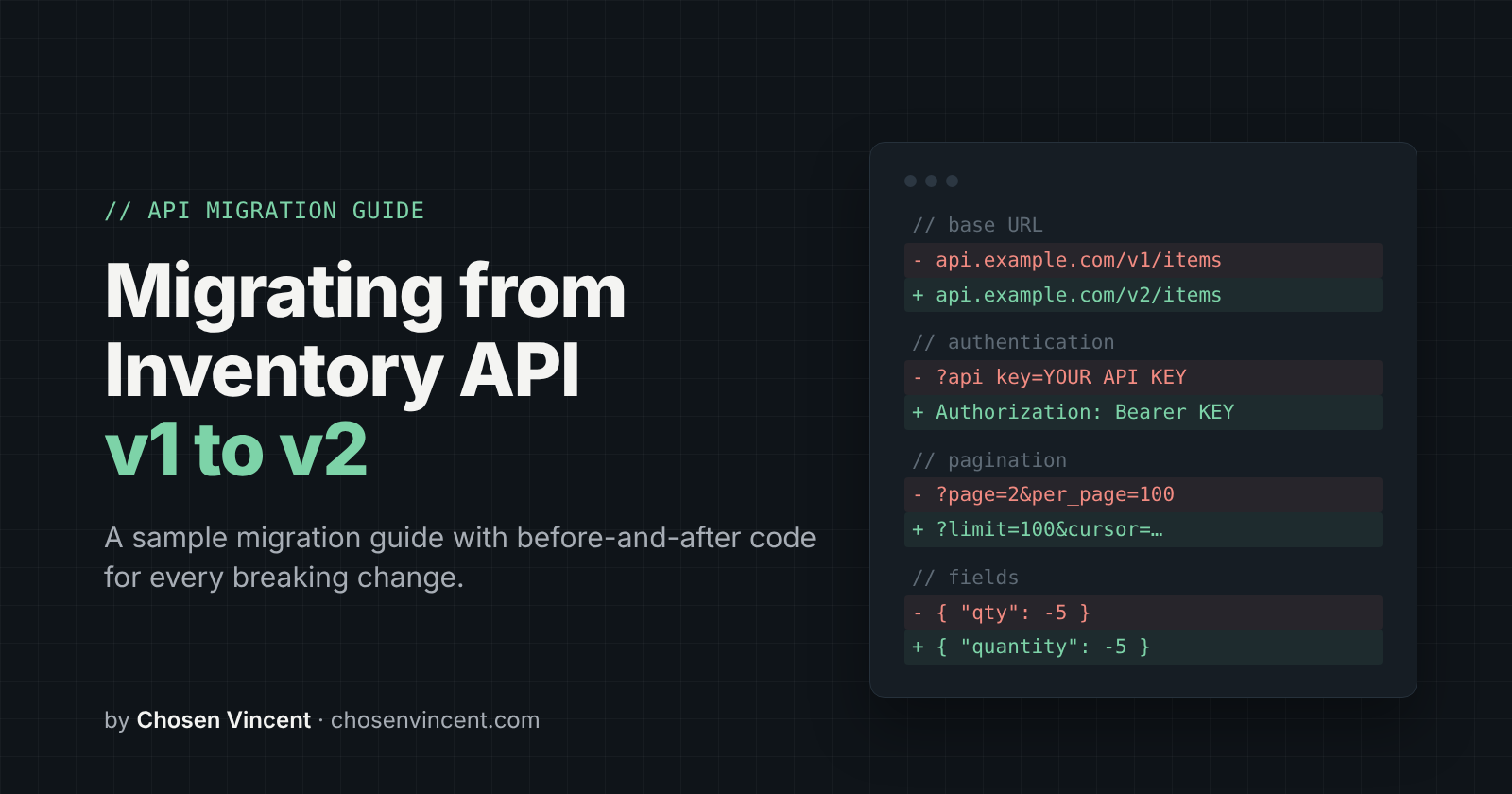
Migrating from Inventory API v1 to v2
Note: This is a sample API migration guide, written as the companion to my freeCodeCamp tutorial, How to Write an API Migration Guide. The Inventory API is a sample API made for the tutorial, so the code examples won't run against a live server.
Summary
Inventory API v2 changes how you authenticate, how you page through items, and how errors come back. It also renames the qty field to quantity. If your code calls any v1 endpoint, you need to update it before March 31, 2027, when v1 stops working.
This guide walks you through each change with before-and-after code.
Timeline
| Date | What happens |
|---|---|
| Now | v2 is available. v1 still works, so you can migrate at your own pace. |
| March 31, 2027 | v1 stops working. Requests to /v1 endpoints will fail. |
Breaking changes
These changes need updates to your code. Work through each one before you switch to v2.
Base URL
What changed: All endpoints moved from https://api.example.com/v1 to https://api.example.com/v2.
Before (v1):
const BASE_URL = "https://api.example.com/v1";
After (v2):
const BASE_URL = "https://api.example.com/v2";
What you need to do: Update the base URL everywhere your code calls the Inventory API. If it's hardcoded in more than one file, move it into a single constant or environment variable, so the next version change only takes one edit.
Authentication
What changed: v2 no longer accepts your API key as a query parameter. Send it in the Authorization header instead.
Why it changed: API keys in URLs can end up in server logs and browser history, where other people can see them. A header keeps the key out of those places.
Before (v1):
const res = await fetch(`${BASE_URL}/items?api_key=${API_KEY}`);
After (v2):
const res = await fetch(`${BASE_URL}/items`, {
  headers: { Authorization: `Bearer ${API_KEY}` },
});
What you need to do: Remove api_key from every request URL and send the key in the Authorization header. v2 rejects keys sent as query parameters.
Pagination
What changed: GET /items no longer uses page and per_page. Use limit to set the number of items per page, and cursor to get the next page. Each response includes a next_cursor value, which is null on the last page.
| v1 parameter | v2 parameter | Notes |
|---|---|---|
per_page |
limit |
Default 20, max 100. Same as before. |
page |
cursor |
Leave it out for the first page. Then pass the next_cursor value from the previous response. |
The response also changed. v1 returned page, per_page, and total_pages. v2 returns next_cursor instead.
Before (v1):
let page = 1;
let totalPages;

do {
  const res = await fetch(
    `${BASE_URL}/items?page=${page}&per_page=100&api_key=${API_KEY}`
  );
  const body = await res.json();
  saveItems(body.data);
  totalPages = body.total_pages;
  page++;
} while (page <= totalPages);
After (v2):
let cursor = null;

do {
  const query = cursor ? `limit=100&cursor=${cursor}` : "limit=100";
  const res = await fetch(`${BASE_URL}/items?${query}`, {
    headers: { Authorization: `Bearer ${API_KEY}` },
  });
  const body = await res.json();
  saveItems(body.data);
  cursor = body.next_cursor;
} while (cursor);
What you need to do: Replace page-number loops with a loop that passes next_cursor until it comes back as null. Remove any code that reads total_pages, because v2 doesn't return it.
Field rename: qty to quantity
What changed: The qty field is now called quantity, in both responses and request bodies.
| Where | v1 | v2 |
|---|---|---|
GET /items and GET /items/{id} responses |
qty |
quantity |
POST /items/{id}/adjust request body |
qty |
quantity |
Before (v1):
// Reading stock
const stock = item.qty;

// Removing 5 units
await fetch(`${BASE_URL}/items/itm_204/adjust?api_key=${API_KEY}`, {
  method: "POST",
  headers: { "Content-Type": "application/json" },
  body: JSON.stringify({ qty: -5 }),
});
After (v2):
// Reading stock
const stock = item.quantity;

// Removing 5 units
await fetch(`${BASE_URL}/items/itm_204/adjust`, {
  method: "POST",
  headers: {
    Authorization: `Bearer ${API_KEY}`,
    "Content-Type": "application/json",
  },
  body: JSON.stringify({ quantity: -5 }),
});
What you need to do: Search your code for qty and change it to quantity, both where you read it from responses and where you send it in request bodies.
Error responses
What changed: In v1, error was a string. In v2, it's an object with a code and a message.
Before (v1):
{"error": "Item not found"}
After (v2):
{"error": {"code": "item_not_found", "message": "Item not found"}}
| Status | v2 code | Meaning |
|---|---|---|
| 401 | invalid_api_key |
Missing or invalid API key. |
| 404 | item_not_found |
Item not found. |
| 429 | rate_limited |
Too many requests. New in v2. |
What you need to do: Read error.message instead of error. If your code checks for specific errors, check error.code instead of matching the message text, since codes are more reliable.
Rate limiting
What changed: v2 returns a 429 error with the code rate_limited when you send too many requests. The Retry-After header tells you how many seconds to wait before trying again.
Before (v1):
if (!res.ok) {
  const body = await res.json();
  console.error(body.error); // "Item not found"
}
After (v2):
if (!res.ok) {
  const { error } = await res.json();

  if (error.code === "rate_limited") {
    const waitSeconds = Number(res.headers.get("Retry-After"));
    // Wait, then retry the request
  }

  console.error(error.message); // "Item not found"
}
What you need to do: Handle 429 responses by waiting the number of seconds in Retry-After, then retrying the request. If your code sends many requests in a row, such as when paging through a large inventory, test this before you switch.
New features
These changes are optional. Your code keeps working if you ignore them.
warehouse_idin item responses:GET /itemsandGET /items/{id}now return the ID of the warehouse that holds each item.reasonin the adjust request:POST /items/{id}/adjustaccepts an optionalreasonfield, such as"damaged"or"restock", so you can record why stock changed.
{"quantity": -5, "reason": "damaged"}
Migration checklist
- Change the base URL from
/v1to/v2 - Move the API key from the
api_keyquery parameter to theAuthorization: Bearerheader - Replace
pageandper_pagewithlimitandcursor - Remove code that reads
total_pages - Rename
qtytoquantityin code that reads responses - Rename
qtytoquantityin adjust request bodies - Read
error.messageanderror.codeinstead oferror - Handle
429errors using theRetry-Afterheader - Test your migration (see below)
Test your migration
Before you switch your production code to v2, check that it behaves the same way it did on v1:
- Compare the full item list. Page through all items in v1 and v2 and check that you get the same number of items with the same quantities.
- Test the last page. Make sure your loop stops when
next_cursorisnulland doesn't request an extra page. - Test an error. Request an item ID that doesn't exist and check that your code reads
error.code(item_not_found) anderror.messagecorrectly. - Test a stock adjustment. Add or remove stock on a test item with
quantity, then fetch the item and check that the new value is correct. - Test rate limiting. If you send requests in bulk, make sure your code waits and retries when it gets a
429.
Roll back
v1 keeps working until March 31, 2027, so you can switch back if something goes wrong after you migrate.
To make rolling back easy, keep your v1 code until you're confident v2 works, and switch between them with a setting, such as an environment variable, instead of editing code. After March 31, 2027, rolling back isn't possible, so finish testing well before that date.
About the author
- I’m a technical writer with 4 years of experience creating developer content and documentation for B2B SaaS companies. I’ve written over 150 pieces across tutorials, product guides, and ghostwritten engineering content, and built documentation from scratch for both developers and end users.
Comments
Join the discussionNo comments yet. Be the first to comment.